
Count
Scan UPCs and tap fill levels. A sample opening count closed at 14 scans, 7.63L, and $239.13.
Features
Count faster, catch missing product, protect pour cost, and turn over-pours into coaching moments, all in one place.
Last updated
ExactPour counts liquor bottles with a phone, syncs sales from Toast, Square, Clover, or GoTab, and compares ounces poured to ounces sold in dollars. It also tracks pour cost, invoices, waste, and alerts. Start a 14-day Pro trial. Paid plans are $69, $99, and $129 a month.
14 days free · No credit card · Plans from $69/month
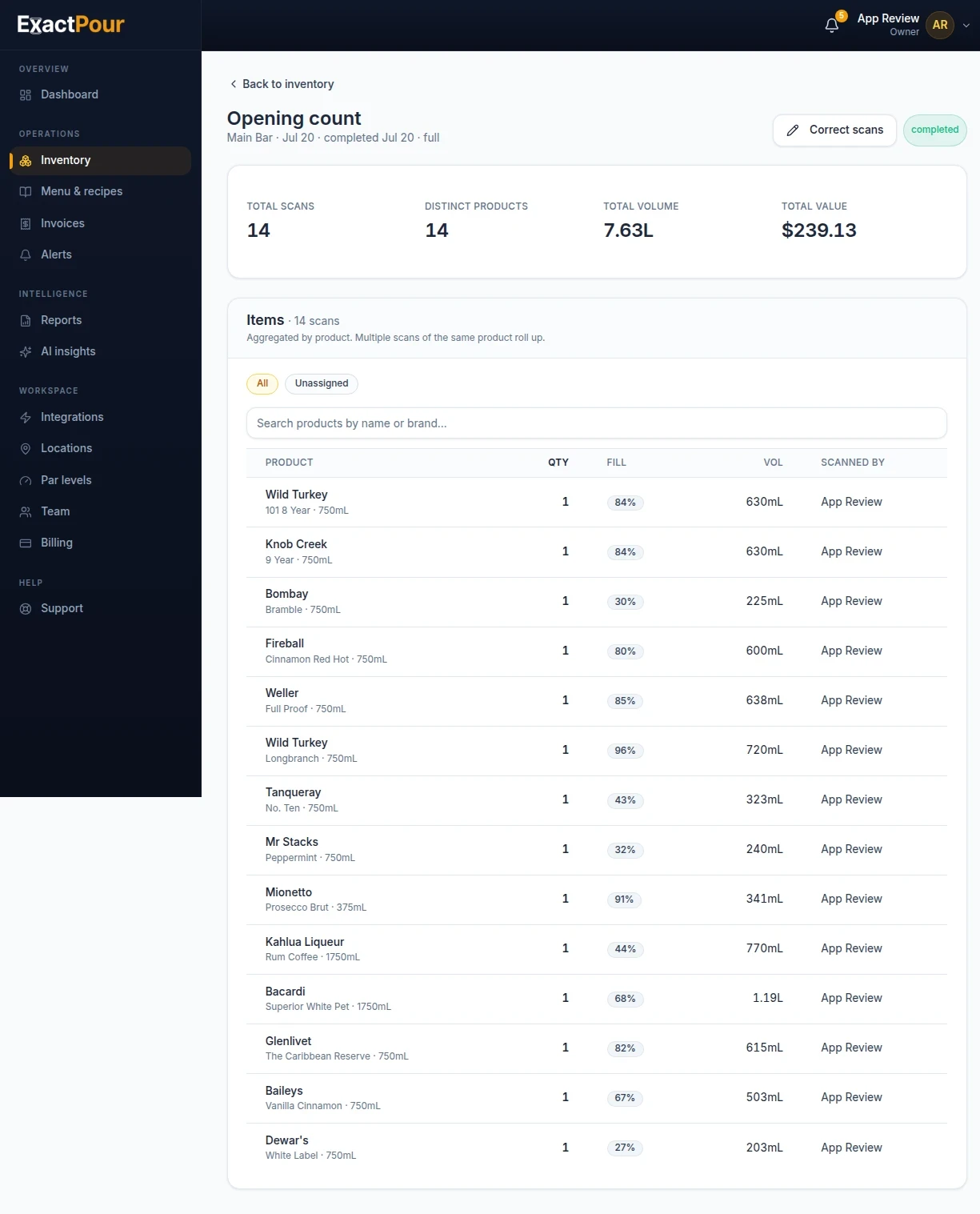
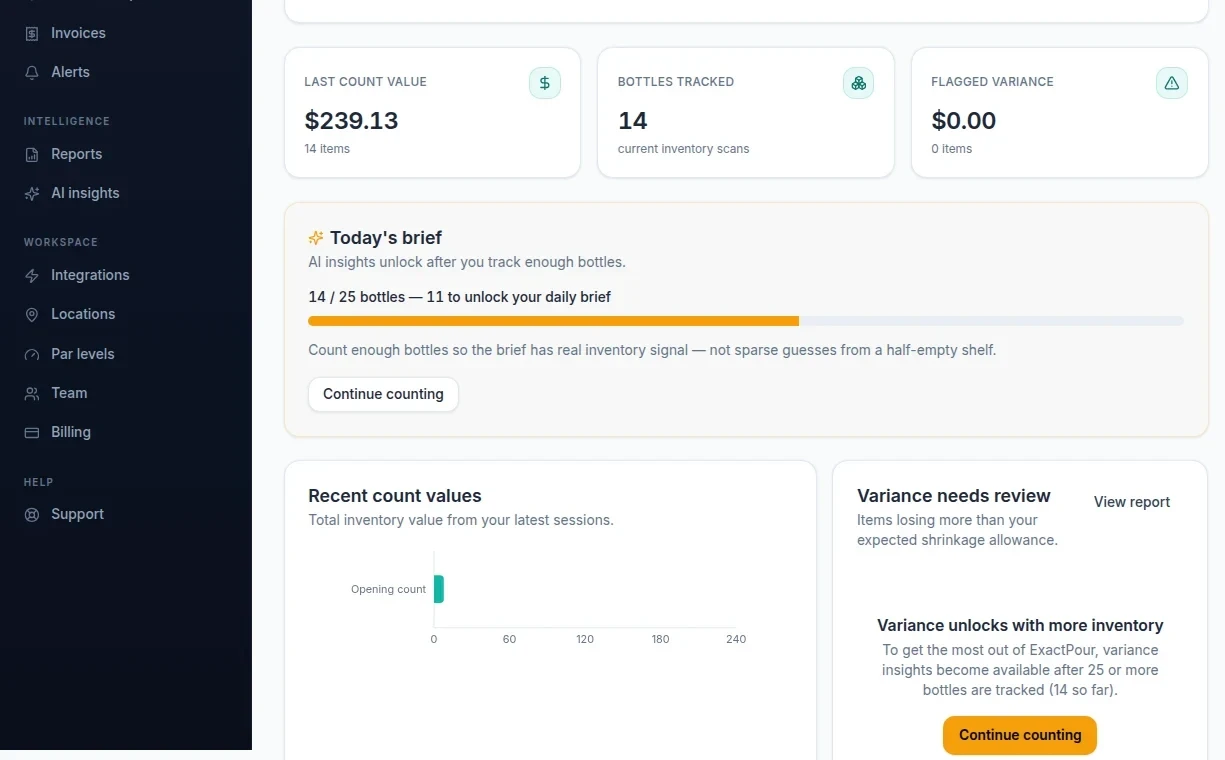
Scan UPCs and tap fill levels. A sample opening count closed at 14 scans, 7.63L, and $239.13.
Connect Toast, Square, Clover, or GoTab. Sales become projected usage once recipes exist. The POS integrations page covers Toast, Square, Clover, and GoTab.
Read variance dollars, the reports index, and a brief when you have enough history. Do not judge empty pour-cost grids.
Feature grids are easy to skim and easy to ignore. The features that change a bar are the ones that shorten Sunday counts, tie pours to POS sales, and put unexplained dollars in front of a manager the next morning. Everything else is acceleration: invoice OCR, AI briefs, forecasting, price watching.
Start with barcode counting and fill levels. Add POS reconciliation on Toast, Square, Clover, or GoTab. Then pour cost, pars, and alerts. AI that cannot show the underlying variance is marketing. ExactPour briefs and anomaly features are designed to be inspectable against the same counts you just walked. Start free on a single location, or use the 14-day trial on paid plans from $69/mo, and score features by whether the closer finishes. The ounces poured versus ounces sold formula and an illustrative example live on ounces poured vs ounces sold.
Map top sellers first. Unmapped cocktails make poured versus sold look like theft. Finish two counts before you judge forecasting. Upload invoices before you judge pour cost. Invite the person who will actually scan. If a feature requires a week of classroom time, it will not survive a Friday night.
Use guides and glossary when you want the formula. Use pricing when you want which plan includes POS and the full AI suite. Use the form at the bottom of this page when you want a specialist to walk the same features on a live bar. Related: bar inventory software and best bar inventory software.
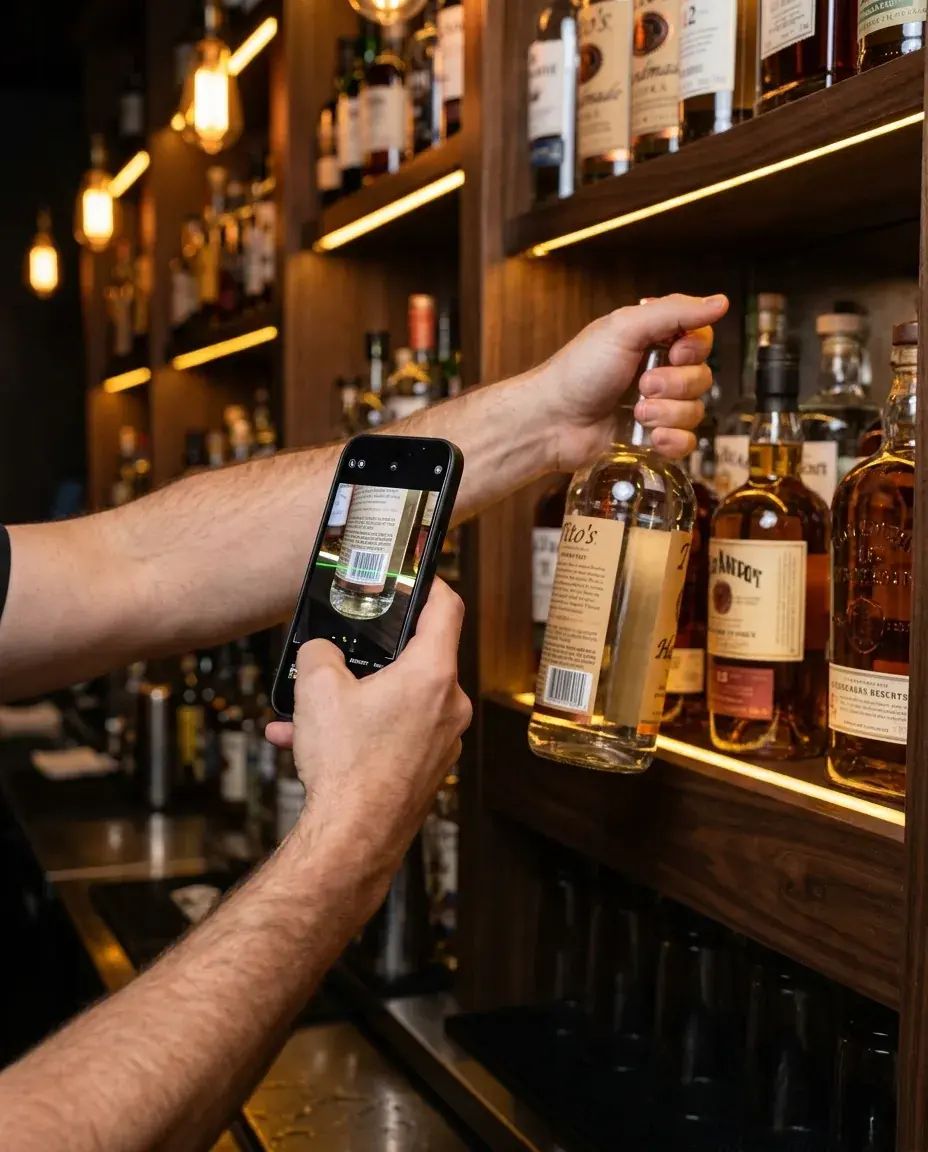
Scan once, count everything.
Point your phone at any bottle barcode, or search by name and brand. Tap how full it is (Full, 3/4, 1/2, 1/4). ExactPour adds it up so you know what is really on the shelf, with undo if someone mistaps.
Open bottles count as real stock.
Every scan records how full the bottle is, so open wells and call brands stop getting rounded into fiction. You track what is actually left, not a hopeful whole-bottle count.
Group interchangeable bottles.
Group products like "Seltzer Variety" or "Well Vodka" so any member barcode counts as one slot. Perfect for well brands and mixed cases that should not pollute your variance.
Corrections without rewriting history.
Edit or delete a recent scan anytime. Every change is logged with before and after values, so managers can trust the count and still clean up honest mistakes.
Every count, accounted for.
Browse past counts with status, item count, total value, location, and start time. Sessions save and resume, so a count can pause for a rush without starting over.
Reorder before the run-out.
Set a par on every bottle. Low-inventory and order-sheet reports use those numbers so you restock before a Friday night 86, not after.
See the ounces formula, an illustrative example, and how ExactPour automates it on ounces poured vs ounces sold.
Toast, Square, Clover, and GoTab.
Connect Toast, Square, Clover, or GoTab to an ExactPour location. Menus and sales sync on a schedule or on demand, so shelf math stays tied to what guests actually bought.
Map every drink to its ingredients.
Turn imported POS items into recipes with ounces per serving. ExactPour computes cost per serving from live bottle price. Tracked drinks feed poured-vs-sold math; unmapped drinks show up as blind spots.
The baseline behind every comparison.
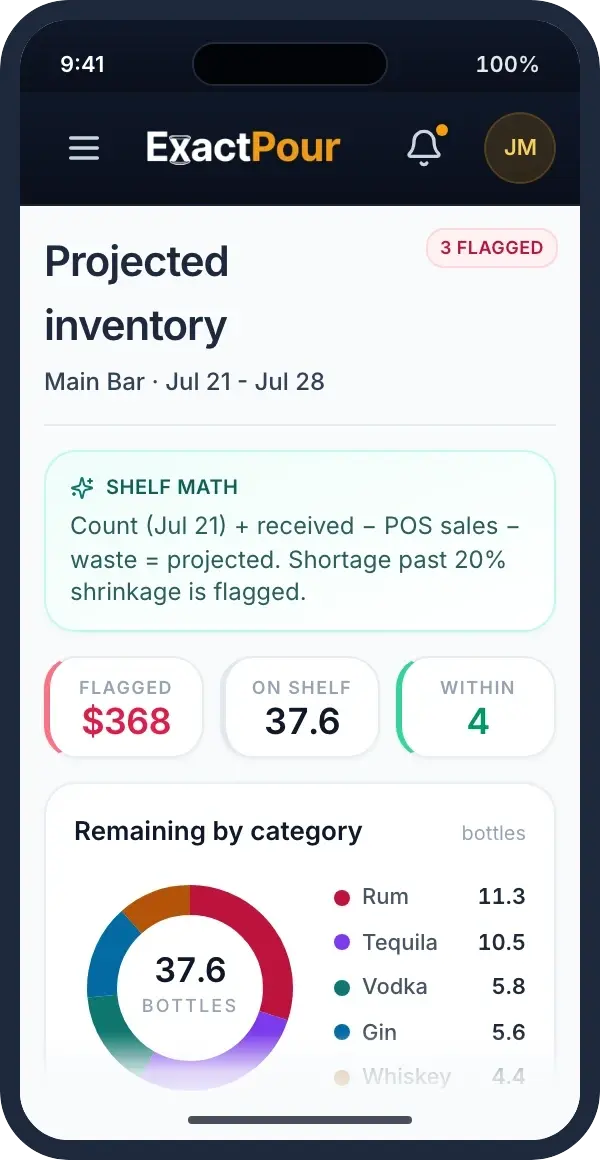
For every product, ExactPour computes what should be on the shelf from starting stock minus what the POS says you sold. That projected number is how you spot missing product the next morning.
Surface shortages. Explain them. Coach from them.
Products that drift past your tolerance get flagged with a dollar amount. Close each one with a reason such as breakage, theft, over-pour, or measurement error, then use the pattern to train the shift instead of guessing who to blame.
Find your blind spots.
Lists menu items without recipes. Every unmapped sale depletes stock that poured-vs-sold math cannot see. Build each recipe in one click so the gaps get honest.
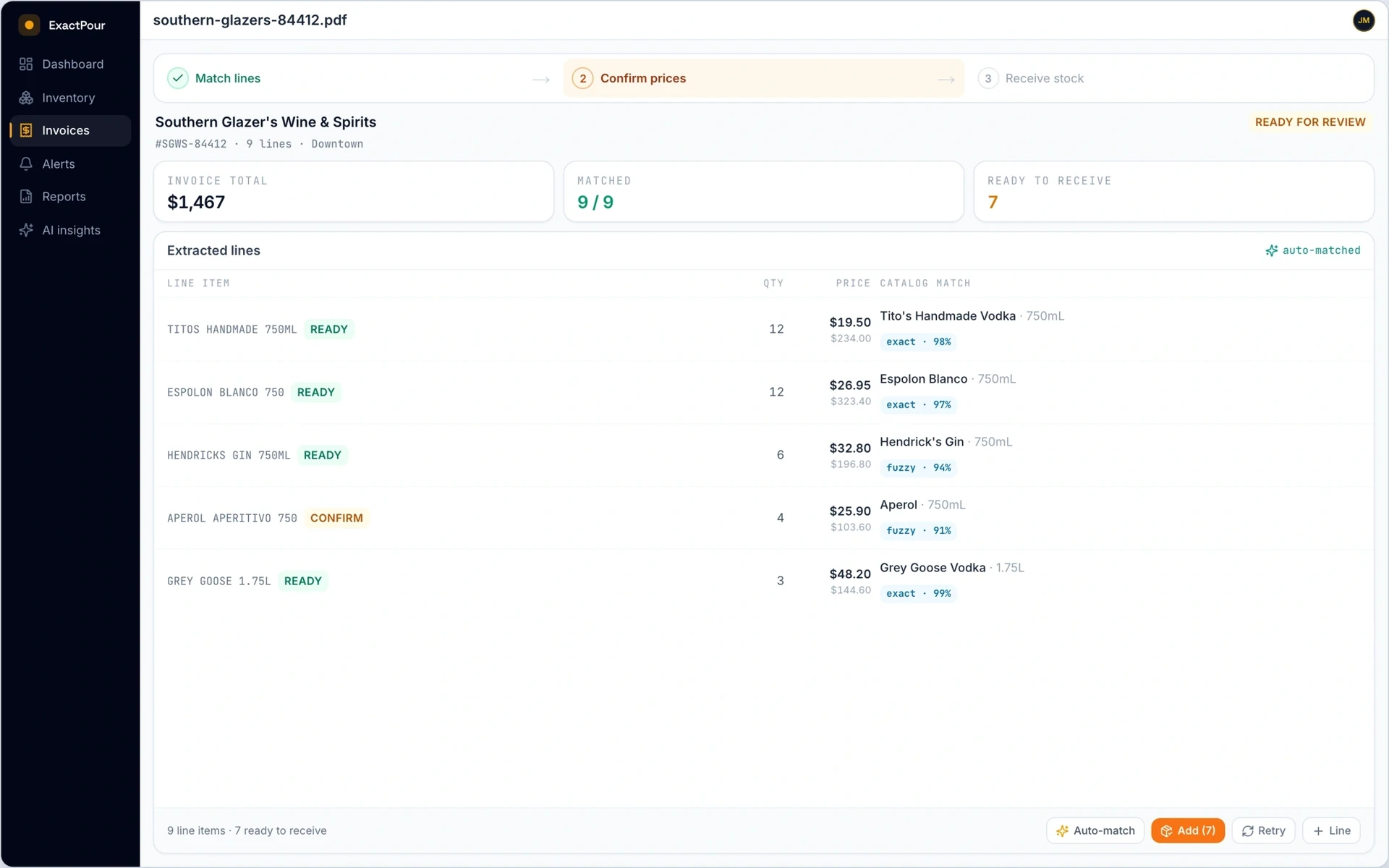
Photo in, items and prices in.
Upload any PDF, JPG, or PNG invoice. Every line item and price enters automatically. Files stay private to your account.
Supplier names never match yours. Doesn't matter.
For every line, ExactPour finds the best catalog match by barcode first, then by name. You see how confident the match is before you accept it.
Your negotiated prices, your numbers.
Set your own costs on products so each bar tracks its negotiated supplier pricing, not a generic catalog default.
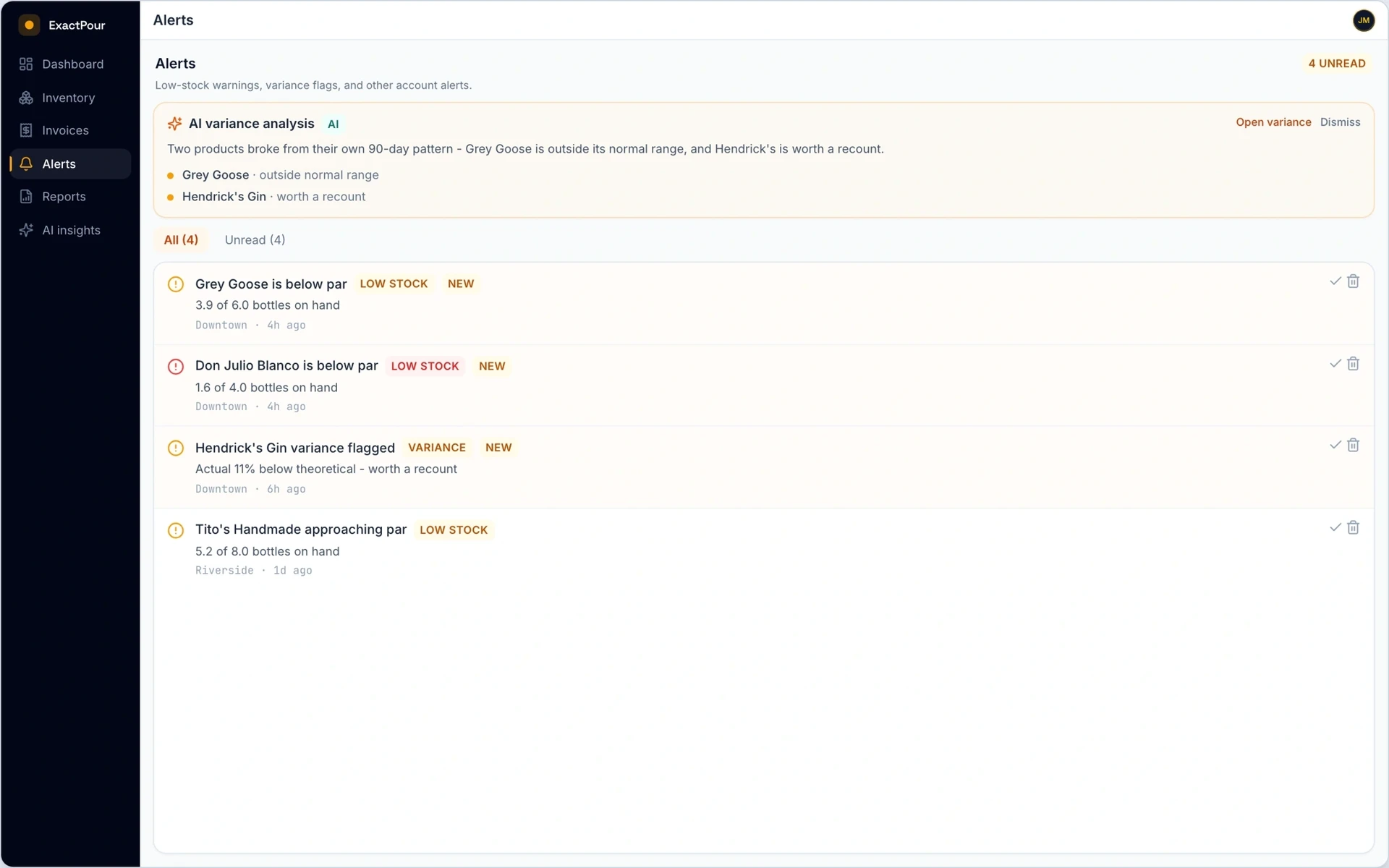
Document every dropped bottle.
Log breakage, spillage, comps, spoilage, expiry, theft, and training pours. Record quantity, volume, cost, and notes. Those notes become evidence when you explain a shortage.
One inbox for every warning.
Low stock and unexplained shortages land in one place. Mark read or unread, dismiss, and filter so managers act on tonight's problems instead of digging through email.
Never get caught short on a Friday.
Get alerted when products cross the threshold you set, with current stock and the target shown across the account.
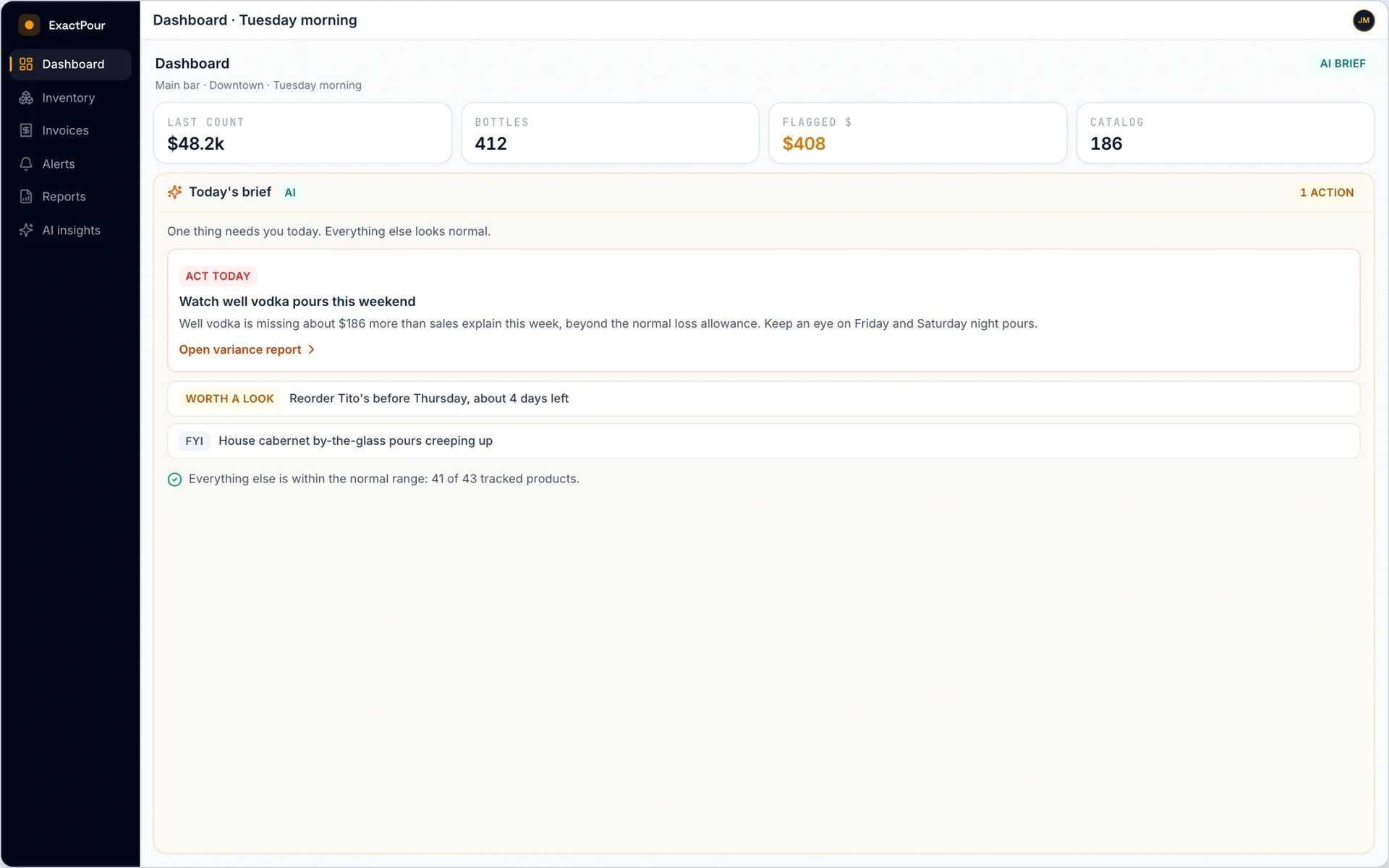
Wake up to what needs fixing.
Each morning you get 3 to 5 actions ranked by dollar impact from the last 30 days of counts, sales, and shortages. Severity tells you what to handle before the next rush.
Ask questions. Get answers from your data.
Ask in plain English: "Which bottles were over-poured last weekend?" Answers use only your real numbers, with starter prompts so the team does not have to invent the question.
See run-out dates before they happen.
Uses recent POS sales to project per-day usage, an estimated run-out date, and a confidence rating so you order before the well goes dry.
Catch outliers the moment they appear.
Learns each product's normal range from recent history and flags it when the latest numbers break pattern. Runs on demand and overnight.
Daily briefs, overnight sweeps, digests.
Overnight jobs watch counts, sales, and invoices, then deliver digests so your team spends mornings on the floor, not in a spreadsheet.
Savings you can verify, not vibes.
When a flagged loss gets fixed, the scoreboard compares the loss rate before and after from your own counts, then reports a verified dollar figure for what you recovered.
Underpriced drinks, flagged.
Pour-cost math flags underpriced drinks against your target band, suggests a new price, and shows the monthly margin impact at current volume.
Catch it on the next invoice, not the next quarter.
Every scanned invoice is compared to your purchase history. When a supplier raises a price, you see the per-bottle change and the yearly cost before it compounds.
Free the cash sleeping on your shelf.
Finds bottles with no POS sales over the trailing window, totals the trapped dollars, and drafts specials and cocktail ideas to move them. You approve what runs.
A coaching prompt, not proof.
Log your staff schedule and see whether losses run higher on the stretches certain people worked. A coaching prompt, not proof.
A dollar up? A quarter-ounce less? See the impact.
Raise a drink a dollar or trim a pour a quarter ounce. Scenario math returns the weekly, monthly, and annual impact with every assumption stated up front.
Know where you stand, anonymously.
Compare pour cost and shrinkage against anonymous venues like yours. Strictly opt-in and give-to-get, with cohorts kept large enough that no bar is identifiable.
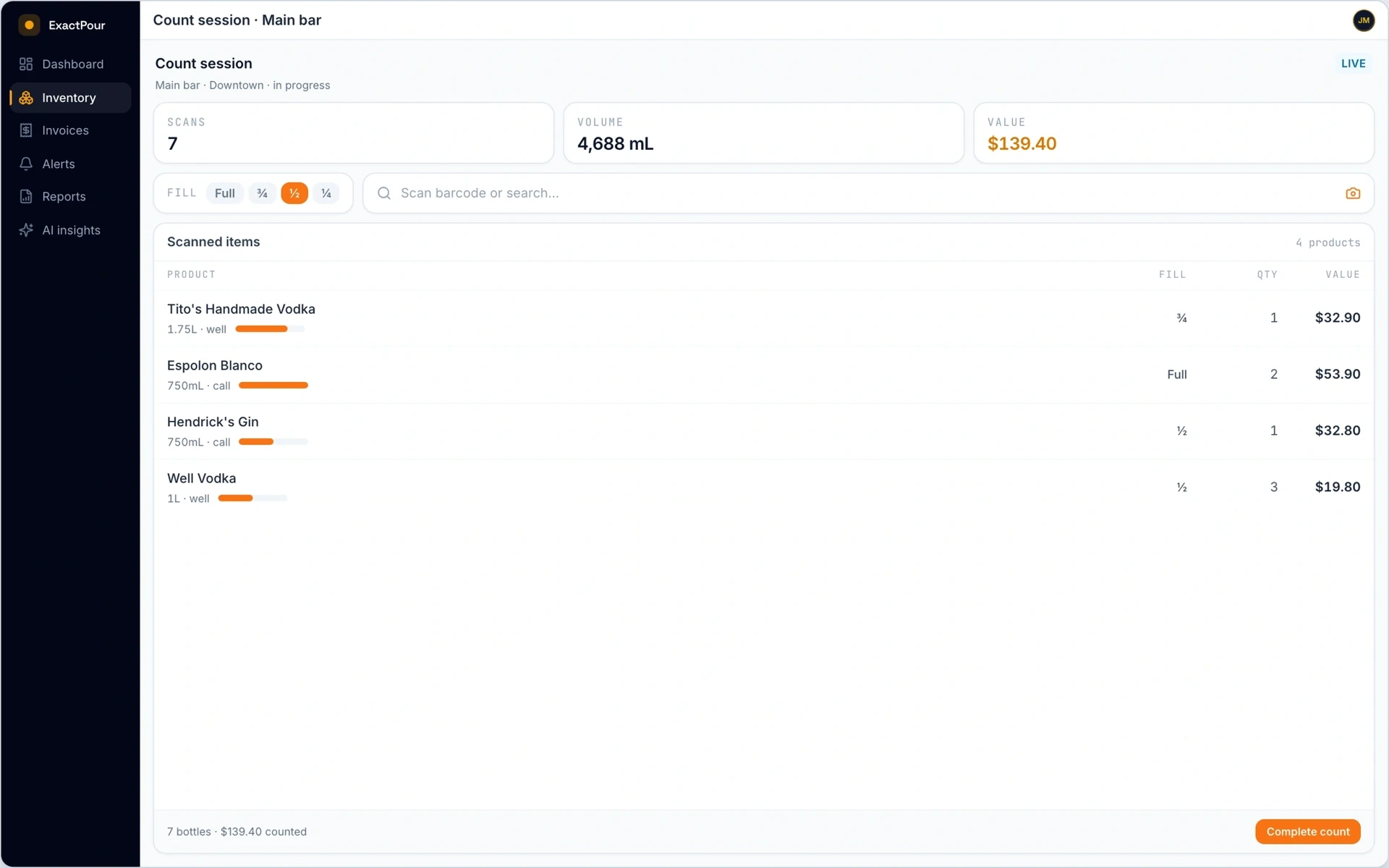
Name, brand, size, and cost ready to count.
A curated catalog of approved bottles with name, brand, category, size, ABV, and cost. Your team starts counting instead of building a spreadsheet from scratch.
New bottles do not stop the count.
When you scan a barcode ExactPour does not recognize yet, AI looks up the product and queues a submission for review so the count can keep moving.
Operators submit. Admins approve.
New barcodes flow through a review queue. Unclear matches escalate with source and confidence so your catalog stays clean without slowing Sunday inventory.
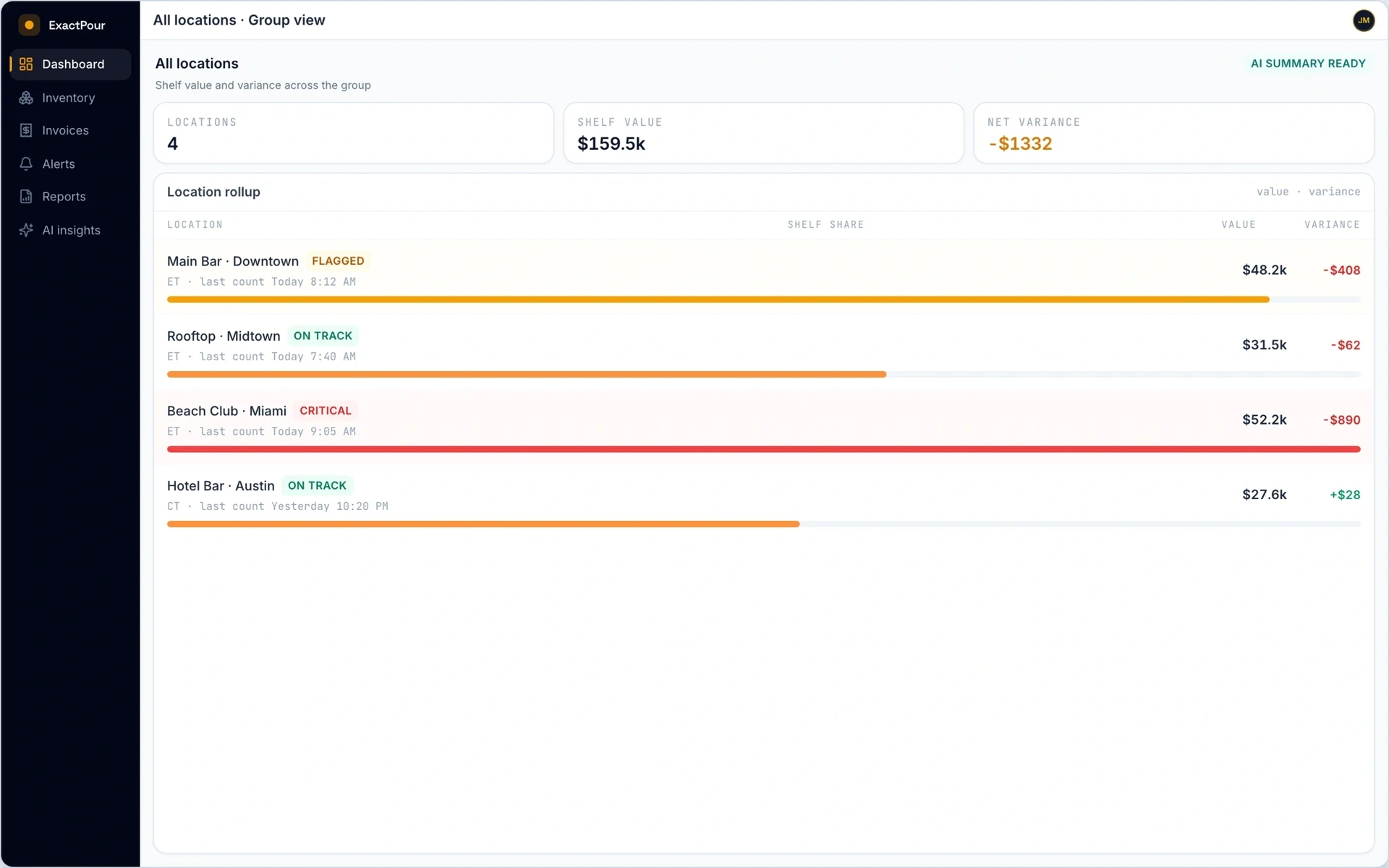
Every location, one login.
Run multiple bars, clubs, or venues. Each gets its own counts, POS connection, and timezone, with rollups for owners and area managers.
Invite teammates. Control access.
Invite by email as owner, manager, or staff. Decide who can count, who can see dollars, and who can change settings at each location.
See who changed what, and when.
Owners and managers can review audit, security, and activity history. Critical events surface clearly so disputes get settled with a trail, not a memory.
Your data is never mixed with another bar's.
Every account can only see its own locations, counts, and sales. Isolation is enforced in the database, not bolted on later as a checklist item.
Versioned terms, recorded consent.
Versioned Terms, Privacy Policy, and related docs with a record of when each user accepted them.
The right people see the right numbers.
Email and password auth with invite and password-reset flows. Roles control access by location. Platform admins use multi-factor authentication in the admin console.
Talk with ExactPour
Book a 20-30 minute walkthrough. We will run a count, reconcile poured vs sold, and show the pour-cost views your managers would actually use.
Start tonight
Run ExactPour on your own bar for two weeks. See the leaks, the over-pours, and the dollars you can still save.
14 days free · No credit card · From $69/mo