
Walk the route
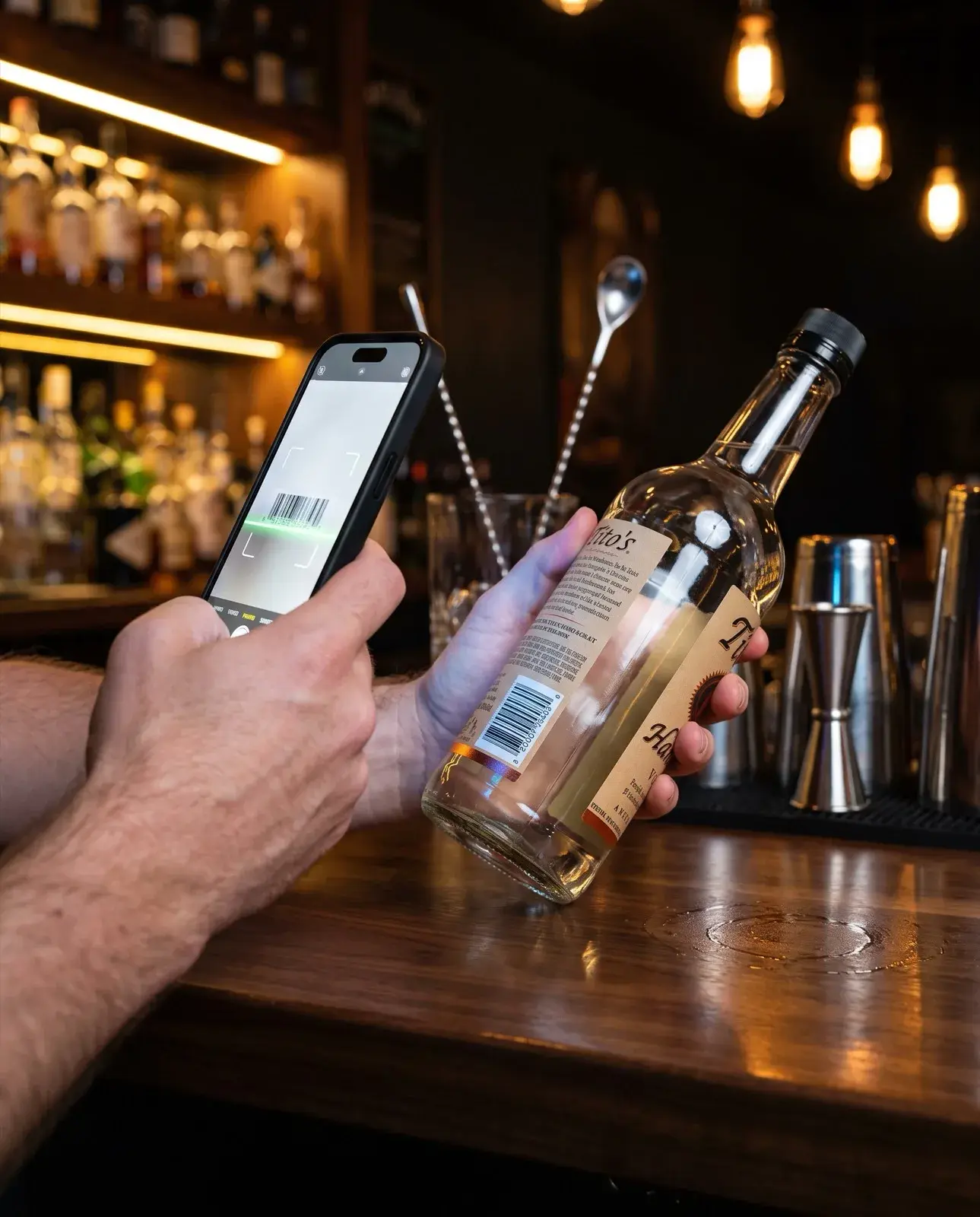
Scan each barcode with the camera or a handheld. Tap fill from 0 to 1 on open bottles.
Phone counts, fill levels, free trial
Count your bar by barcode on your phone, tap fill levels on open bottles, and sync POS sales nightly. Compare that to a spreadsheet or building your own app.
Last updated
ExactPour is a bar inventory app for phone counts. Scan a barcode, tap fill from 0 to 1, sync Toast, Square, Clover, or GoTab nightly, and review poured versus sold the next morning.
Scan each barcode with the camera or a handheld. Tap fill from 0 to 1 on open bottles.
Undo a miss, edit a fill, and close the count before last call.
Nightly POS sync turns the walk into flags you can reason-code the next morning.
The problem
Hand tallies wait for a morning re-key. By then the numbers are stale and the closer has gone home.
Barcode lookup, fill levels, POS import, variance math, an audit trail, and multi-user access are not a weekend project.
A template can store a count. It cannot sync Toast overnight or flag the SKU that leaked.
The solution
Scan, tap a fill, undo a miss, and let nightly POS sync turn the walk into poured versus sold.
Scan once, count everything.
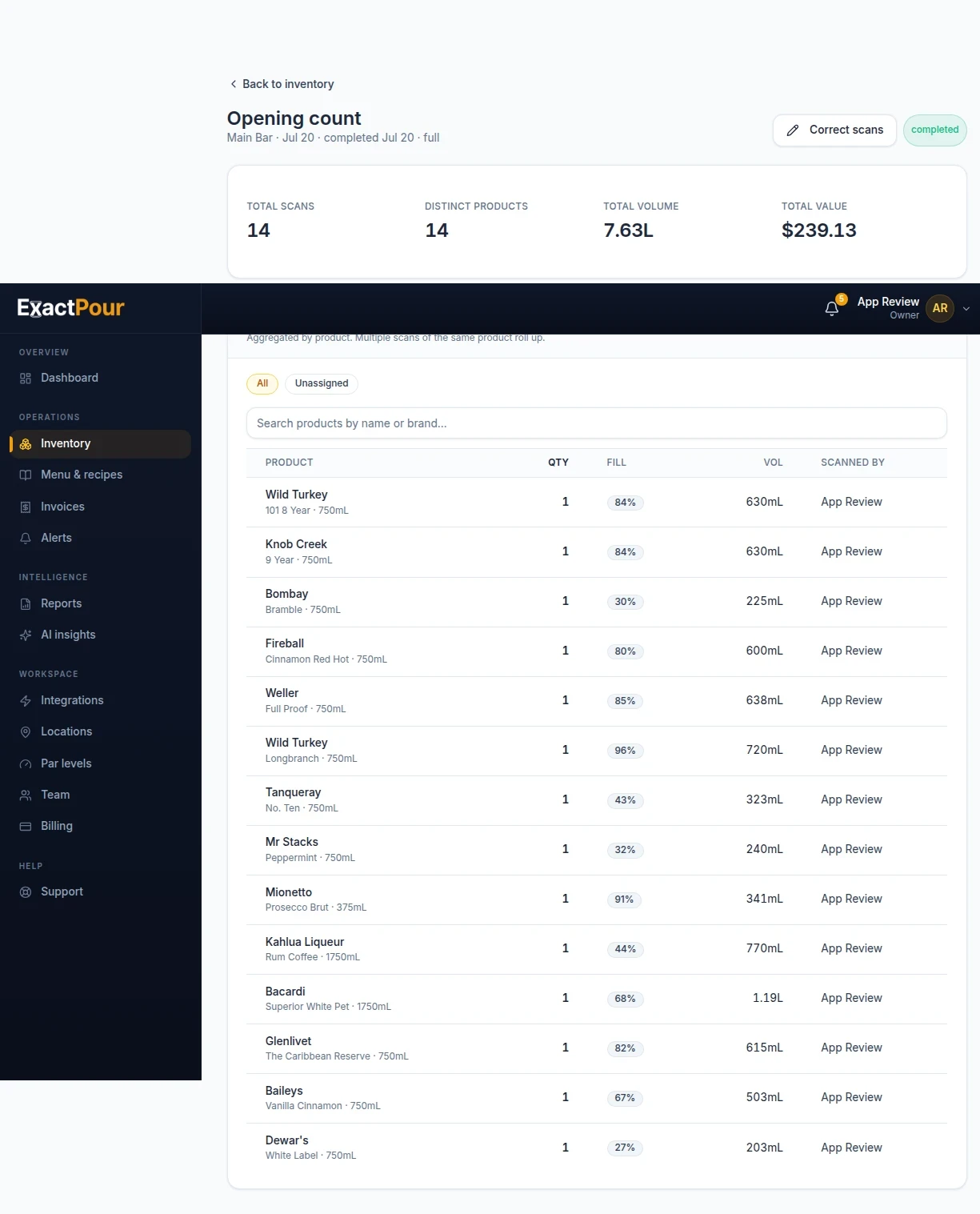
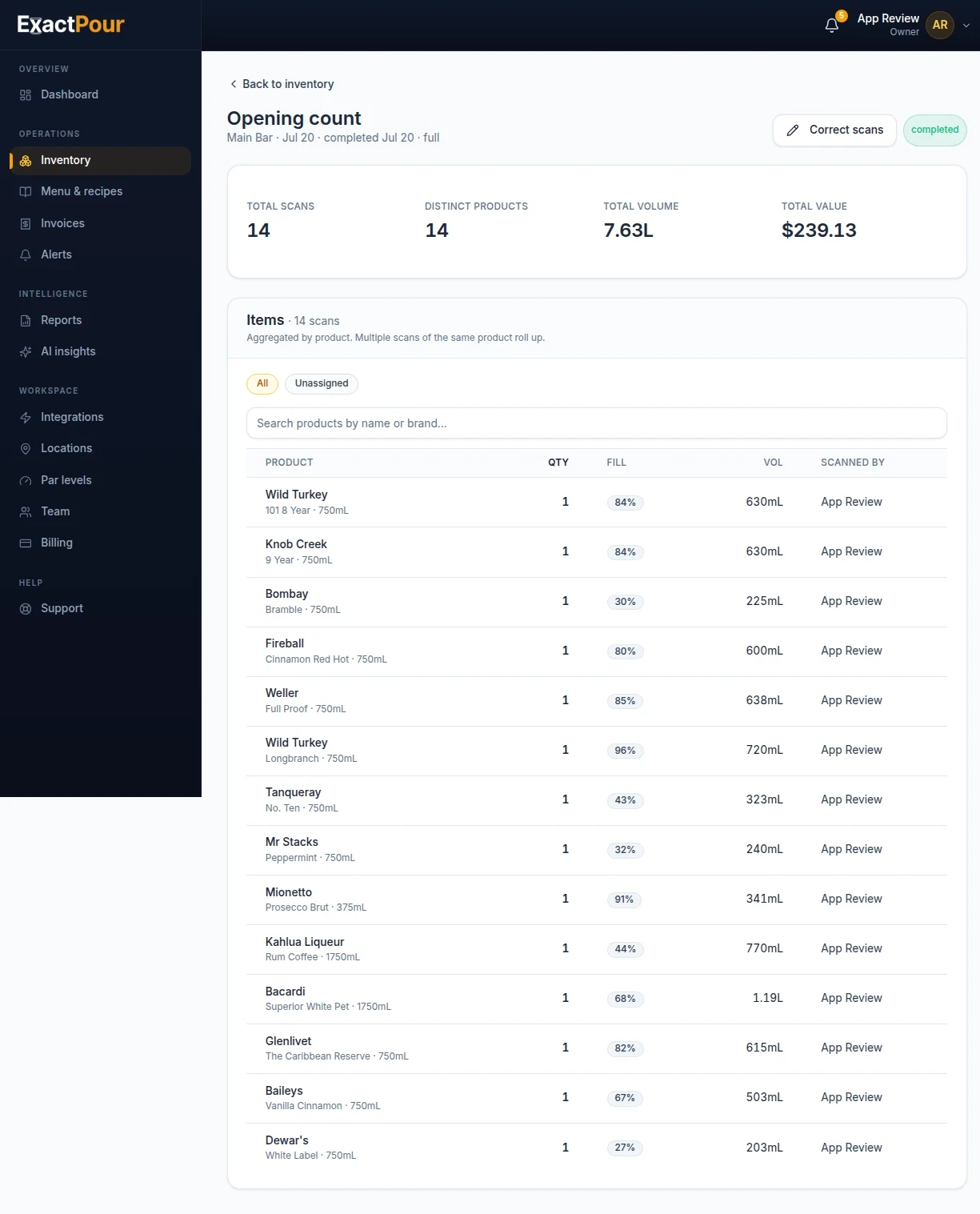
Scan any UPC with a phone or handheld, tap a fill level, and ExactPour aggregates scans per product and auto-computes volume in real time. Undo and inline edits keep counts honest.
Partial bottles, not just whole counts.
Every scan records a fill level from 0 to 1 and computes volume as size times fill, so you track real stock instead of rounding to the nearest bottle.
Toast, Square, Clover, and GoTab are live.
Connect Toast, Square, Clover, or GoTab to a location. Menus and sales import on a schedule or when you ask. POS credentials are stored encrypted.
Order the right amount, every time.
Set par levels per product and let low-inventory alerts and demand forecasts tell you exactly what to reorder before you run dry or over-buy.
Photo in, items and prices in.
Upload any PDF, JPG, or PNG invoice, every line item and price enters automatically. Files stay private to your account.
Know the cost of every drink.
Cost per serving is computed from live bottle pricing and recipe ounces, so you see pour cost and margin per menu item and can price with confidence.
Integrates with the POS you already run
Sales sync nightly · No rip and replace




Phone count with fill levels
Scan a barcode, tap a fill, and watch volume update as you walk the backbar.
Compare
| Capability | Free spreadsheet | DIY app builder | ExactPour |
|---|---|---|---|
| Barcode scan | Manual entry | You must build barcode lookup | Phone camera or wireless scanner |
| Partial bottles | Rounded guess | You must build fill levels | Fill from 0 to 1 |
| POS reconciliation | Paste sales totals | You must build POS import | Toast, Square, Clover, GoTab nightly |
| Variance flags | None | You must build variance math | Over 10% warning, over 5% info |
| Multi-location | Separate files | You must build locations and users | One account, per-location counts |
| Upkeep owner | You | You | ExactPour |
Pick a count route and walk it in the same order every close
Set the fill convention from 0 to 1 and train one visual
Connect Toast, Square, Clover, or GoTab and map the drinks that move
Set pars on the SKUs you never want to run dry
Schedule a count cadence your closer can finish
A bar inventory app earns its keep at close, not in a demo. The closer already has a phone. ExactPour uses that camera, or a wireless scanner, to identify each bottle and record what is left. Sealed units count as whole bottles. Open bottles get a fill from 0 to 1. Volume is size times fill. Undo and inline edits keep a fat-fingered tap from becoming tomorrow's fake shortage.
ExactPour already publishes that a full backbar takes minutes. That wording is the only time claim on this page. Your SKU list, layout, and whether you use a camera or a handheld scanner will change the clock. We do not invent a minute number for every room. If the closer finishes, you have an app. If they do not, you added too many bottles on night one. See bar stocktaking for the weekly ritual and how to count liquor inventory for the method. Start with the well and the bottles that move. Leave the dusty call brands for week two so the first close is a finished session, not a museum tour.
A finished count says what you have. The useful number is what you should have. ExactPour syncs sales nightly from Toast, Square, Clover, or GoTab, maps drinks to recipes, and compares projected usage to the physical count. That is poured versus sold. Items beyond tolerance are flagged. Over 10% is a warning. Over 5% is info. Close each flag with a reason and notes.
The morning brief is written from those numbers: what leaked, what looks like dead stock, and three things to fix first. It is not a generic tip sheet. Connect the POS, map the drinks that actually move, and the brief has something to say. See POS integrations. The broader software category, if you need the pillar instead of the app angle, is bar inventory software.
A bar inventory app is phone software that counts bottles, records open fill levels, and compares that physical count to POS sales. ExactPour is that app: scan a barcode, tap a fill from 0 to 1, sync Toast, Square, Clover, or GoTab nightly, and review poured versus sold the next morning.
Identity comes from the UPC. Point the camera, or a USB or Bluetooth handheld, and keep walking. ExactPour aggregates scans per product. A doubled scan is obvious in the running total. A missed shelf is obvious before you close the session. If the walk-in has no signal, scans save on the device and upload when you are back online.
No proprietary scale is required to start. barcode vs scale bar inventory explains when a scale is a spot check and when a barcode-plus-fill walk is the weekly system. This page stays on the phone app. Hardware model names are not listed because the product accepts a standard scanner, not one branded kit.
Bars run on open bottles. An app that only stores whole units is a clipboard with a nicer font. ExactPour lets you tap a fill from 0 to 1 so a well vodka at one-third is one-third. Packaged beer and sealed wine count as units in the same session. The closer does not switch tools mid-walk.
Train one visual. Half is 0.5. A shoulder pour is not full. Shared bias beats a new estimate from every bartender. Undo reverses a miss. Inline edits fix a fill without restarting the session. Those two details are why a phone count stays honest after a rush interrupts the walk.
Search demand for a free bar inventory app is real. ExactPour answers it with a 14-day free trial and no credit card, plus a free template at bar inventory template in CSV, XLSX, and PDF. A template is enough when you have one closer, a short list, and time to paste sales by hand. It is not enough when you need nightly POS sync or a variance flag.
An app builder project has to include barcode lookup, fill levels, POS import, variance math, an audit trail, and multi-user access. Those are generic requirements, not claims about any named builder product. If you want to build your own, budget for that list and for the weeks you will spend keeping it alive. A purpose-built bar inventory app pays off when the closer will finish a count and Monday needs poured versus sold without a paste step.
| Capability | Free spreadsheet | DIY app builder | ExactPour |
|---|---|---|---|
| Barcode scan | Manual entry | You must build barcode lookup | Phone camera or wireless scanner |
| Partial bottles | Rounded guess | You must build fill levels | Fill from 0 to 1 |
| POS reconciliation | Paste sales totals | You must build POS import | Toast, Square, Clover, GoTab nightly |
| Variance flags | None | You must build variance math | Over 10% warning, over 5% info |
| Multi-location | Separate files | You must build locations and users | One account, per-location counts |
| Upkeep owner | You | You | ExactPour |
Use bar inventory template when you need columns tonight and you do not yet have a POS connector. The file is a sealed-plus-fill sheet, not a fake ExactPour clone. Count, write the fill, and decide later whether nightly sync is worth a trial. The template is free. It will not flag variance or build an order sheet from pars.
If the sheet is already the identity of the room, read bar inventory spreadsheet alternative only if you need that migration story. This page stays on the app: phone, fill, POS, trial. Do not copy every spreadsheet column into the first count. Walk the route. Record fills. Connect the POS. Review two mornings.
Par levels generate an order sheet after a count. Set a target on-hand. ExactPour subtracts what you counted. That is the buy list. Start with wells and the bottles you never want to run dry. Skip dusty amaro on week one. par level calculator can help you think about the number before you type it.
Invoice upload matches line items and can update cost. A pour-cost number is only as current as the last invoice you trusted. Recipes plus live bottle cost give pour cost per drink. ExactPour computes cost per serving from recipe ounces and the bottle price on file. Map the drinks that move first. Unmapped tickets are blind spots, not mysterious theft. Keep cost current on the SKUs you actually buy. A stale invoice on a well vodka makes every variance review argue about pennies that are really last month's price.
The same phone walk can include liquor, packaged beer, and wine. Liquor and open wine use fill levels. Packaged beer and sealed wine use units. Draft keg yield is a different job. beer inventory software is honest about what ExactPour does and does not do on draft. wine inventory management is the wine program page for rooms that pour wine beside a well, not wine-only temples.
Keep SKUs distinct. A well vodka row is not a vintage row. A can is not a keg. One app does not mean one counting method. It means one session, one login, and one morning brief after the walk.
Pick the count route before you invite the whole staff. One closer, one well, one POS map. The checklist on this page is the first-count rollout: route, fill convention, POS, pars, cadence. Do not start with every dusty bottle. Do not start with five locations. Finish one close. Review one morning. Then expand.
Invite staff who can count. Cost and variance stay with managers and owners. Sessions can pause and resume. A second person can help on a big room, but start with one walker so the route is honest. best bar inventory software is the buying shortlist if you are still choosing vendors. This page is the app you can trial on your own shelf.
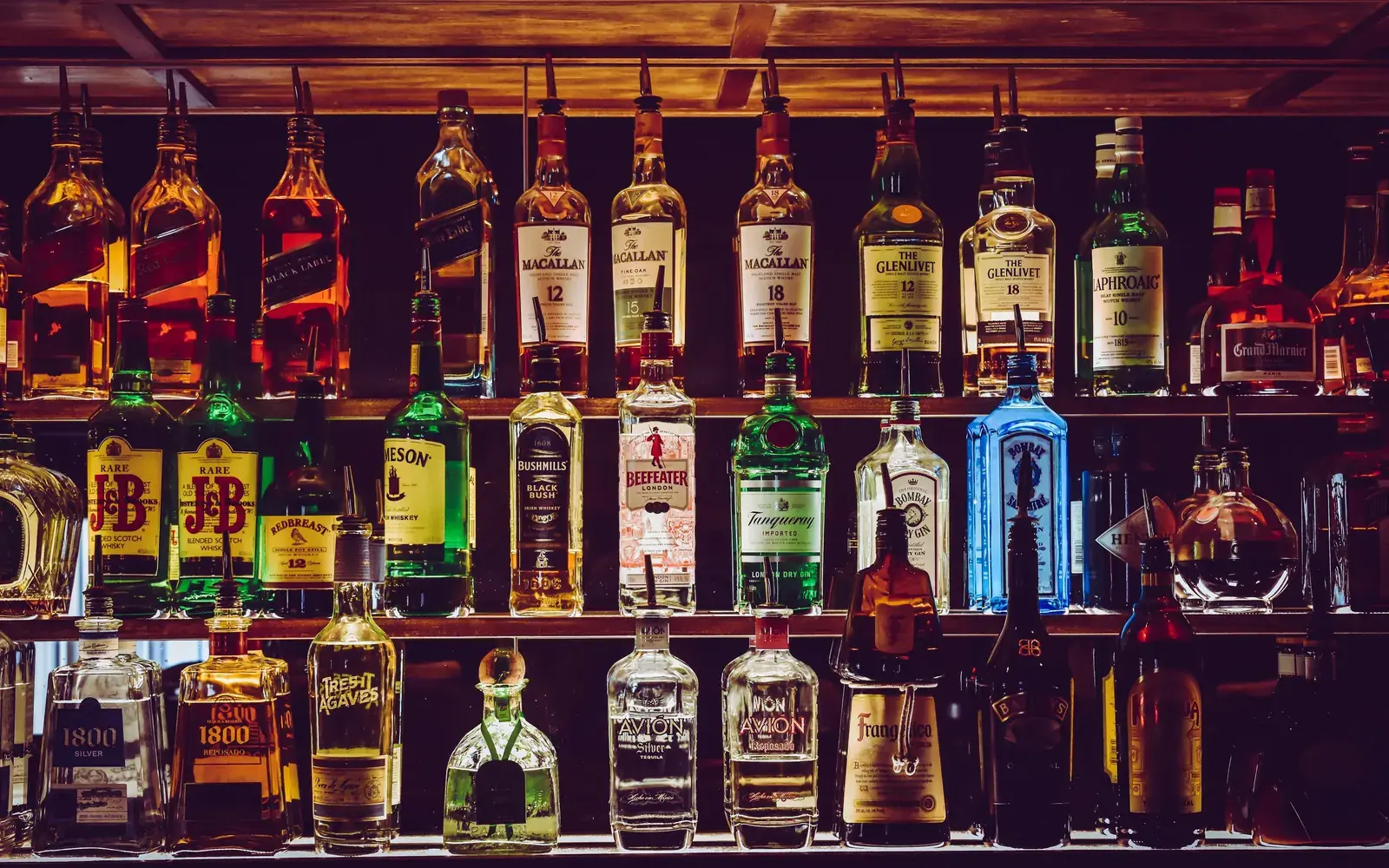
Operators search for an alcohol inventory app builder when they want control and a free-looking start. Control is real. The hidden cost is everything after the first screen: barcode identity, fill math, POS imports that change when the menu changes, variance that needs a reason, an audit trail, and more than one user. ExactPour already includes those jobs. A builder does not remove them. It assigns them to you.
Buy when the closer will use a phone this week and Monday needs poured versus sold. Build when you have engineering time and a reason ExactPour cannot count your shelf. Most rooms that want a liquor inventory app free are asking for a trial and a template, not a new product company. Start the trial. Keep the template as a comfort file. Delete the color scale after the second honest close.
You can count on iPhone and Android with the phone camera, and you can count in the browser. A USB or Bluetooth handheld scanner works on the same path. This page does not publish App Store or Play Store links. Native store listings are not listed in ExactPour's public entity facts. If you need a store badge, ask during the walkthrough. The trial starts in the browser.
The product includes a native shell in the codebase. That is not the same as a public store listing on this site. The honest claim is the one above: phone camera, handheld scanner, or browser. No new hardware required to start.
FAQ
ExactPour offers a 14-day free trial with no credit card. There is also a free bar inventory template at bar inventory template in CSV, XLSX, and PDF if you want a spreadsheet start.
You can count on iPhone and Android with the phone camera, and you can count in the browser. This page does not publish App Store or Play Store links.
Yes. Counts work with the phone camera or a wireless scanner, including a standard USB or Bluetooth handheld. No proprietary scanner is required.
Toast, Square, Clover, and GoTab. Sales sync nightly. See POS integrations.
You can. A builder project still needs barcode lookup, fill levels, POS import, variance math, an audit trail, and multi-user access. ExactPour already includes those jobs. Compare that list before you assemble them yourself.
ExactPour already says a full backbar takes minutes. Your room, SKU count, and camera versus handheld will change the time. We do not publish a minute number for every bar.
Next step
Start a 14-day free trial. No credit card. Or book a 20-minute walkthrough.
Start tonight
Run ExactPour on your own bar for two weeks. See the leaks, the over-pours, and the dollars you can still save.
14 days free. No credit card.